Corresponding page: card.html. This document numbers every button and clickable item the user can interact with, so changes can be tracked by ID later (e.g. 2.1, 7.3.7).
Button: Data source label in the top-right corner (shows Primary / Source #1 / Source #2)
Action: Click to cycle the load source for Card.json / Skill.json (Primary → Source #1 → Source #2) and reload data.
Button: Globe icon language button
Action: Expands the JP / KR / EN / TW language list.
Effect: Changes the skill name aliases shown in the UI when the user manually enters skill keywords (translation labels / display names per language), for example:
copy value written in is unchanged, but the current language’s skill name alias is shown (ZH-TW / EN / KR)
Buttons: In the menu: 日本語 / 한국어 / English / 繁體中文
Action: Selecting one opens a confirmation dialog (on first use or when switching).
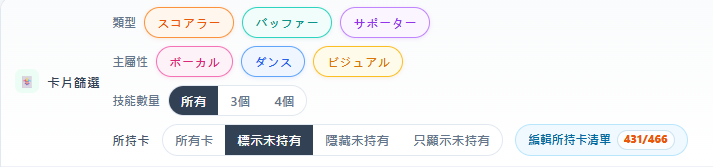
Located on the left side of the control panel under “🃏 Card filters”. Changes immediately re-filter the results table (or follow manual mode per 9.1).
Buttons: Three checkboxes (the entire chip is clickable)
Action: Only checked types appear in results; all checked = no restriction.
Action: Filter by the card’s main attribute category; all checked = no restriction.
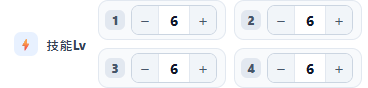
Four skill slots (1–4) control the level for all skills; skill effects are shown according to the selected level.
Button: キャラ選択 / Character selection
Text input (not a button, but interactively filters the list).
Buttons: Each character row in the dropdown — click to toggle selection; multiple selection allowed.
Buttons: Each chip in the selected chip row below — click again to remove that character filter.
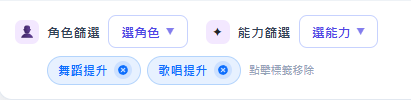
Button: 能力選択
Text input (not a button, but interactively filters the list).
Buttons: Each ability row in the dropdown — select Live / event ability IDs to filter cards.
Buttons: Chips in the selected chip row — remove that ability filter.
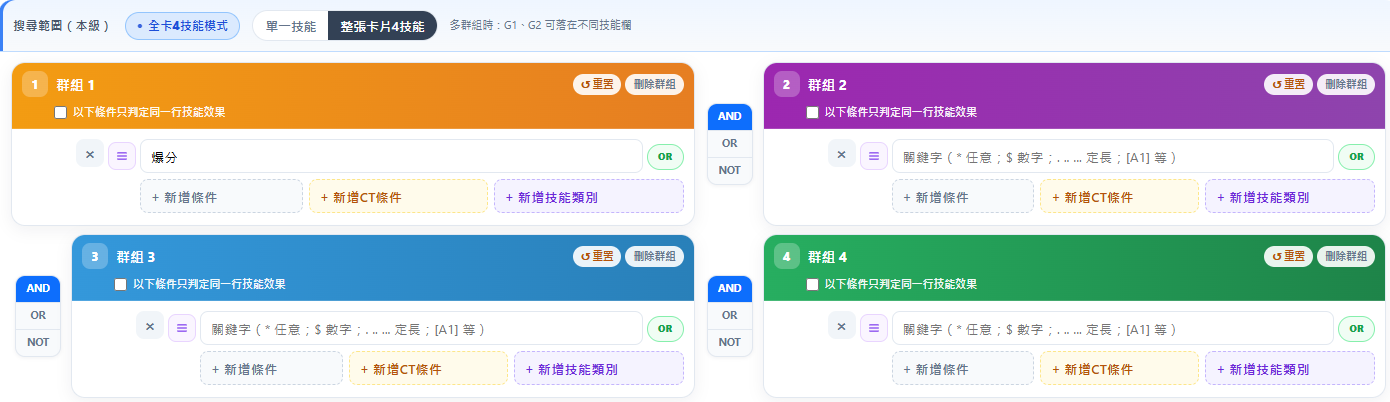
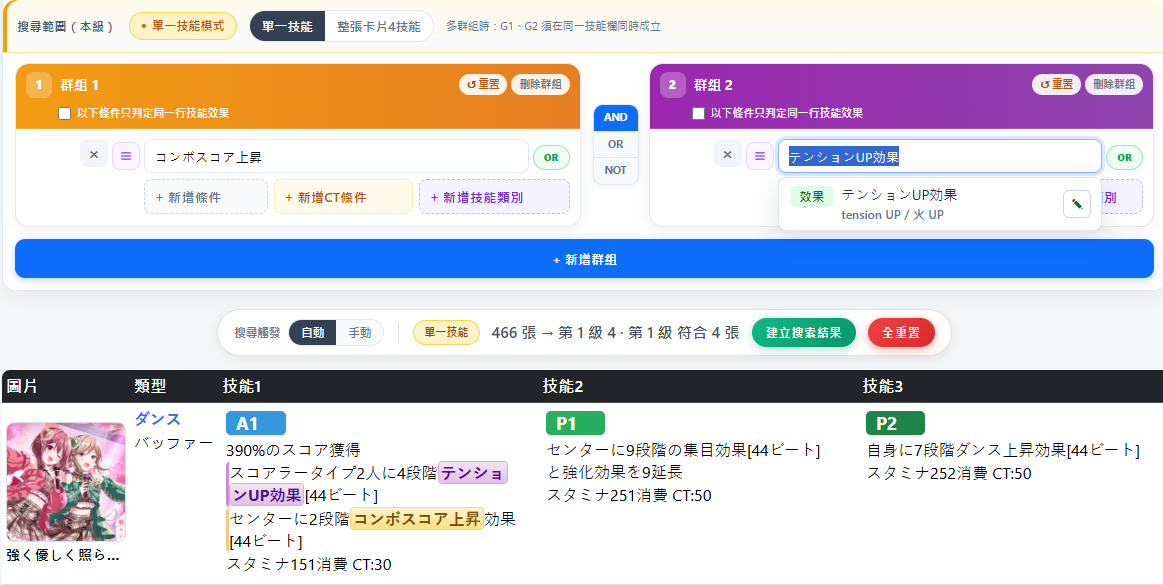
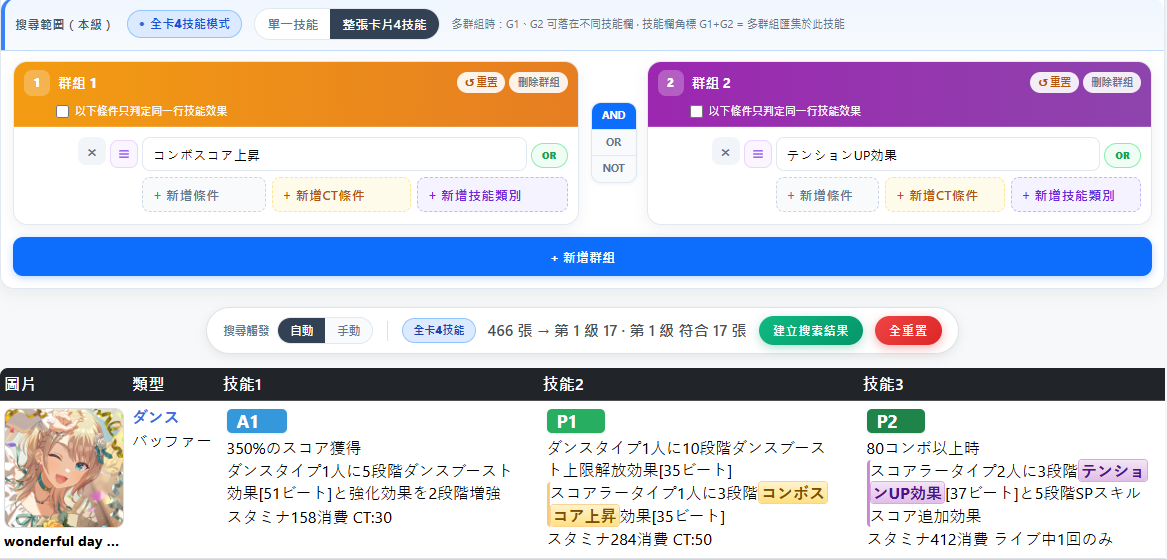
Fig. 7 shows the full search groups area. 7.1 is search scope; 7.2–7.7 describe the dynamic buttons inside each group card (G1, G2, …) and the AND / OR / NOT buttons between groups.
Action: When multiple groups exist, determines whether all conditions at this level match against a “single skill” or “all skills”.
Buttons: Two toggle buttons in the search scope row
After switching, the hint line updates: single skill = “G1 and G2 must both hold on the same skill slot”; all-card mode = “G1 and G2 may fall on different skill slots”. With multiple groups in all-card mode, matched skill slot badges may show combined G1+G2 markers.
Need skill effects コンボスコア上昇 and テンションUP効果 (e.g. one condition each in G1 and G2, AND between groups).
Single skill
All 4 card skills
Action: Manage clearing (reset), deleting (remove group), and condition precision for this group.
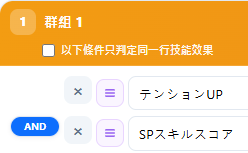
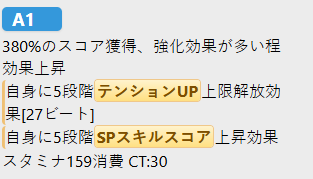
| Same-line match | Demo conditions | Result |
|---|---|---|
| Unchecked | ![]() | ![]() |
| Checked | Match failed — skill spans two different description lines |
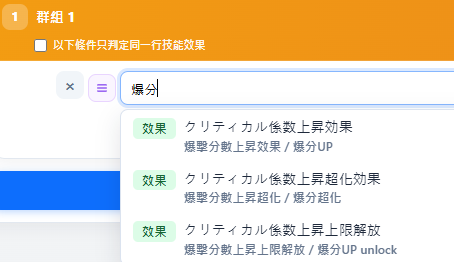
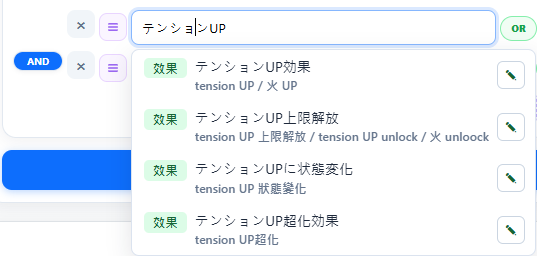
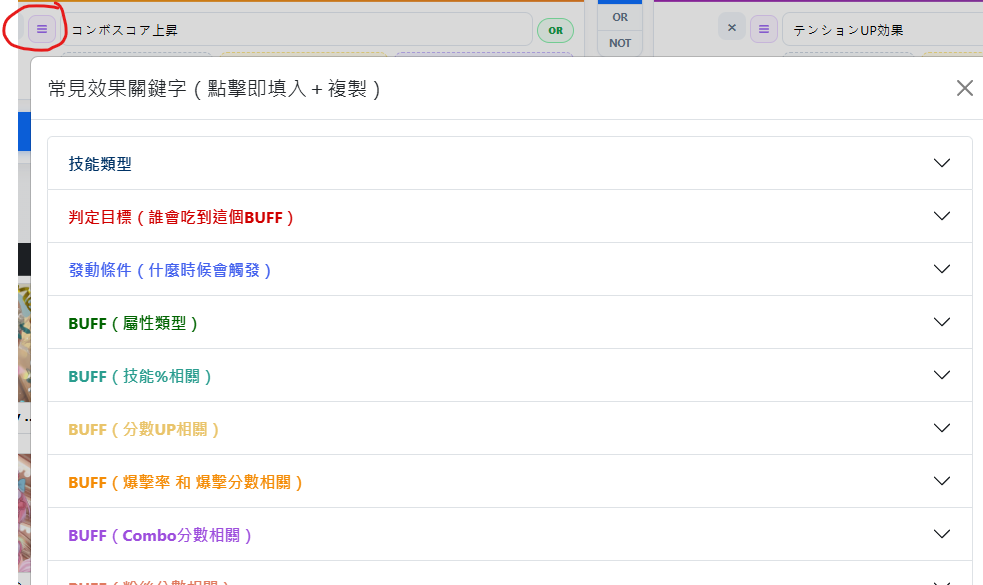
Action: Filter cards by skill description keywords; set within-group AND / OR / NOT, same-row OR alternatives, and pick terms from input suggestions or the keyword list.
Action: At the current skill level, filter skills whose CT value matches the comparison operator (>=, >, =, <, <=).
Action: Filter cards by SP / A / A1 / A2 / P / P1 / P2 skill types; each button can be include, exclude, or off.
Eight tri-state buttons, click to cycle: Off → Include (highlighted) → Exclude NOT × (red) → Off:
Multiple “Include” at once is OR; “Exclude” means that type must not appear.
Action: Add a keyword, CT, or skill type condition row within this group.
Action: Add another search group card and combine it with existing groups using AND / OR / NOT operators.
Button: + 新增群組
AND / OR / NOT between groups:
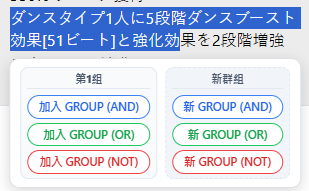
Action: On skill description lines in the search results table, highlight any skill text with the mouse and a toolbar floats beside the selection; on first use a hint may appear (“Selected text can be added to a search group”). Clicking a toolbar button fills the highlighted text directly into a keyword condition row (7.3) in chapter 7 groups — no manual typing or copy-paste needed.
Trigger location: search results table 10.3 skill description lines. Selection must be within a single description line; cross-line selection does not show the toolbar.
Buttons: Add-to-group buttons (colored per group) — add highlighted text to the keyword condition row of the specified group.
Buttons: New group buttons — create a new group and fill highlighted text.
Only fills keyword condition rows (7.3); does not overwrite CT or skill type rows.
Button: 建立搜索結果 — generate a share URL and copy it; also updates the share QR in the bottom-right corner.
Button: 全重置
Action: Clears all search-level settings, group conditions, character filter, ability filter, and card filters (including skill count and owned-card mode); skill levels are unchanged; shows all cards.
Shown when “Hide unowned” etc. yields 0 results:
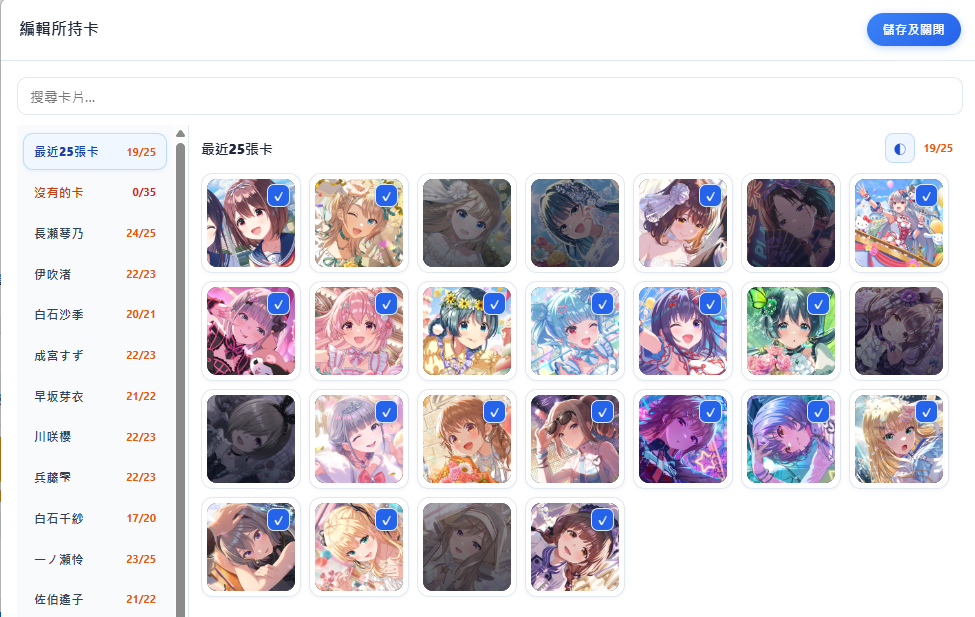
Clickable: Hover shows tooltip (hidden card fields); in “Mark unowned” mode, the semi-transparent overlay on the thumbnail toggles ownership.
Buttons: In result rows: [SP] / [A] / [A1] …
Action: Click to view all level descriptions for that skill (see 10.4).
Description text can be highlighted to trigger 8. Quick copy & search (not a button, but important interaction): after highlighting, a toolbar appears to one-click fill the selection into chapter 7 keyword conditions.
Buttons: Skill type tags in result rows (same as 10.2) — click [SP] / [A] / [P] etc.
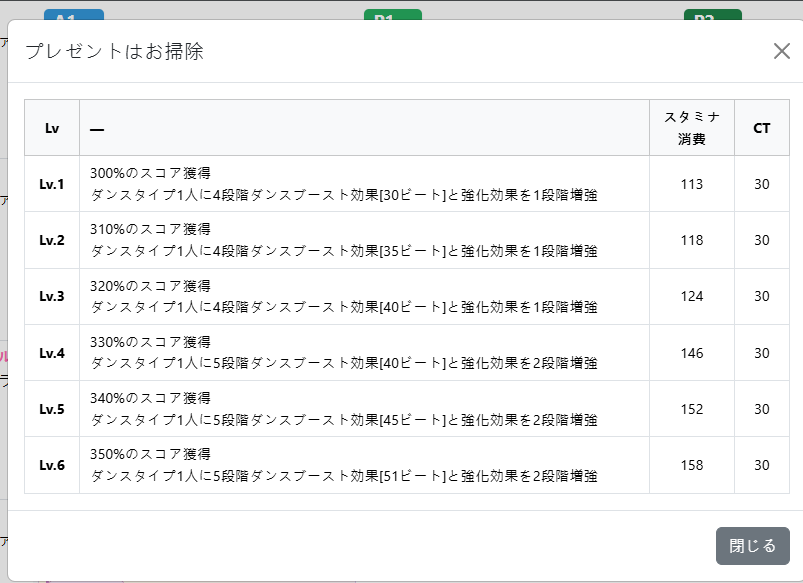
Action: Opens the all skill levels Modal (11.3), showing the full skill description for Lv1–Lv6 in a table; if available, also lists スタミナ消費 and CT fields. The results table (chapter 4) shows only one level at a time — this view compares all levels at once.
Opened from result table 10.4 by clicking a skill type tag.
Button: × on the green center-screen toast — dismiss notification.
Wildcards used in the 7.3.4 keyword input (not buttons, but often used with button actions):
| Symbol | Meaning | Example / matches | ||||||||
|---|---|---|---|---|---|---|---|---|---|---|
* |
Any string |
|
||||||||
$ |
Digits only |
|
||||||||
. .. ... |
(Fixed 1 / 2 / 3 characters, repeatable) |
|
When picking from the list (11.1.3) or suggestion row (7.3.7), * in templates is automatically converted to $ (numeric placeholder).
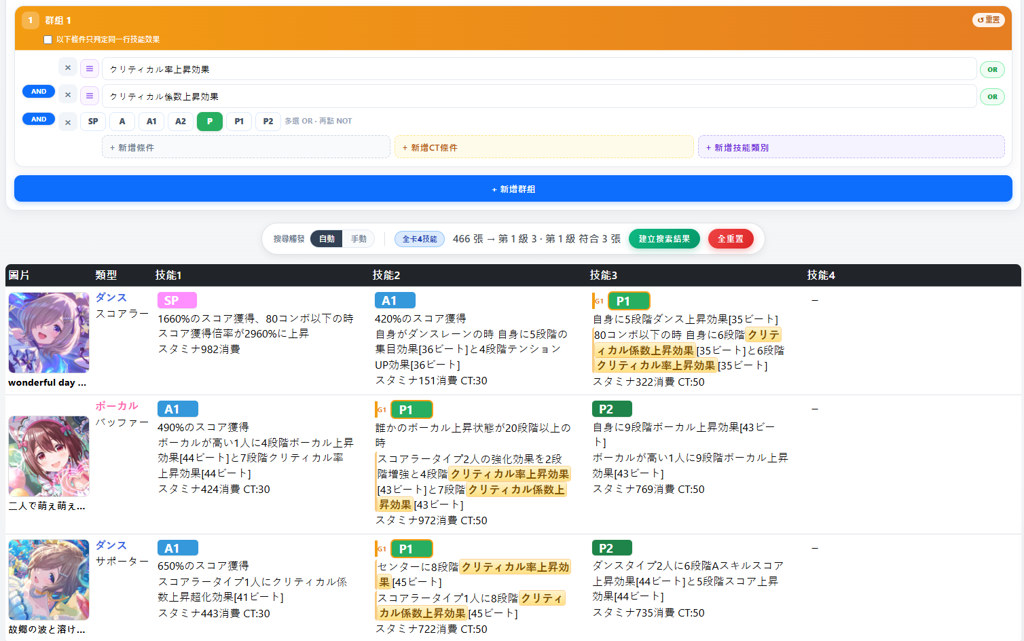
Goal: Find cards that simultaneously have “crit rate UP” and “crit score UP” skill effects (may fall on different skill slots).
Matching keywords (Japanese descriptions):
クリティカル率上昇効果クリティカル係数上昇効果Condition setup:
| Item | Setting |
|---|---|
| 7.1 Search scope | All 4 card skills (default) — both conditions in the same group may fall on different slots |
| G1 condition 1 | クリティカル率上昇効果 |
| G1 condition 1 — condition 2 | AND (within-group operator, see 7.3.1) |
| G1 condition 2 | クリティカル係数上昇効果 |
“Crit rate UP” can be picked from the keyword list (11.1.3) BUFF category as クリティカル率上昇効果; for “crit score UP”, enter クリティカル係数上昇効果 directly or pick from suggestions (7.3.7).
Match example: 《二人で萌え萌えきゅん!》 — A1 slot has crit rate UP; A2 slot has crit rate UP and crit score UP; the whole card satisfies both G1 conditions.
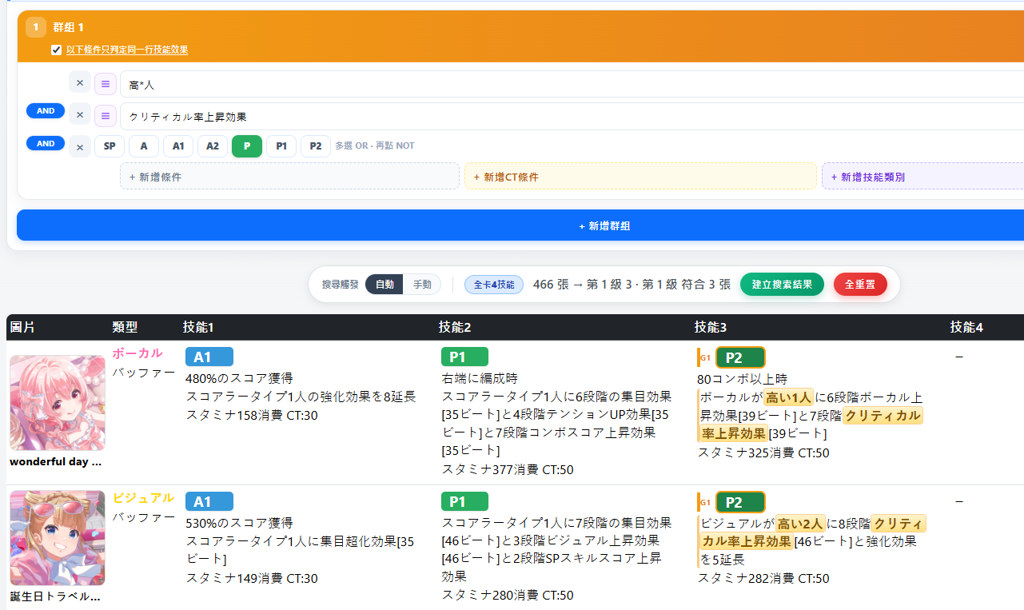
Goal: Find cards whose skill effect applies crit rate UP to targets with high stats (e.g. high Visual: ビジュアルが高い2人); “high stat” and “crit UP” must fall on the same line within the skill effect.
Matching keywords (Japanese descriptions):
高*人 (* matches text before/after, hitting ビジュアルが高い2人, ボーカルが高い1人, etc.)クリティカル率上昇効果Condition setup:
| Item | Setting |
|---|---|
| G1 same-line match | Must check “Match conditions on the same skill effect line only” (7.2.3) — if unchecked, 高*人 and クリティカル率上昇効果 may hit different description lines and cause false positives |
| 7.1 Search scope | All 4 card skills (default) |
| G1 condition 1 | 高*人 |
| G1 condition 1 — condition 2 | AND (within-group operator, see 7.3.1) |
| G1 condition 2 | クリティカル率上昇効果 |
“High-stat target” can be picked from the keyword list (11.1.3) target category as 任意屬性高的人 (writes 高*人); for Vi-only, use ビジュアルが高*人. “Crit UP” can be picked from BUFF category as クリティカル率上昇効果.
Match example: 《ごほうび発見》 — description line ビジュアルが高い3人に8段階クリティカル率上昇効果[38ビート] satisfies both G1 conditions on the same line.
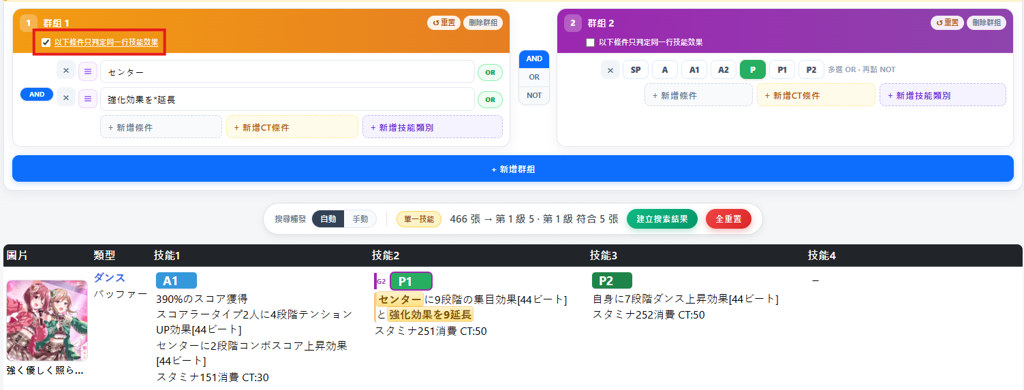
Goal: Use two groups: G1 locks effects containing “center” and “BUFF extension”; G2 restricts matches to P skills only (P1 / P2 slots).
Matching keywords (Japanese descriptions):
センター (matches センターに, センターの, etc.)強化効果を*延長 (* matches extension amount, e.g. 強化効果を12延長)Condition setup:
| Item | Setting |
|---|---|
| 7.1 Search scope | Single skill (7.1.1) — without this (default “All 4 card skills”), G1 and G2 conditions may fall on different skill slots and cause false positives |
| G1 | |
| G1 same-line match | Must check “Match conditions on the same skill effect line only” (7.2.3) — a single P skill often has multiple description lines / effects; if unchecked, センター and 強化効果を*延長 may each hit different lines (e.g. one line センターに…集目効果, another センターの強化効果を12延長) and falsely match |
| G1 condition 1 | センター |
| G1 condition 1 — condition 2 | AND (7.3.1) |
| G1 condition 2 | 強化効果を*延長 |
| G1 — G2 between groups | AND (7.7) |
| G2 | |
| G2 skill type | Set only P to include (7.5.5); no keyword conditions |
Enable both Single skill (7.1.1) and G1 same-line match (7.2.3): the former prevents G1/G2 from spanning slots; the latter prevents cross-line matches within one skill. For G1 “BUFF extension”, pick 強化效果延長 from the keyword list (11.1.3); for G2, highlight only the P button.
Match example: 《胸に秘めていた情熱》 — P1 slot second line センターの強化効果を12延長 contains both center and extension on the same line; first line センターに…集目効果 has only センター — same-line match excludes the cross-line false positive.